Photo and Video Resources for Emory Communicators
The Emory Photo Video team (EPV) curates a collection of photos and video reels for Emory communicators to use for their websites, social media platforms, printed materials, and promotional campaigns, including the most popular visuals of Emory’s campuses.
Emory Digital Asset Manager (Emory DAM)
Beginning September 1, 2026, photography will be searchable in the newly provisioned Emory Digital Asset Manager (Emory DAM). Faculty and staff will have access through their Emory email addresses, and access to PhotoShelter will go away. The Emory DAM will allow easier access for users, vast searchability, and easier refining options. Images in the DAM are available for download to use in print publications and are already approved for website use, as the DAM is also directly available via Emory Universal Drupal Site Builder.
Because thousands of images are being transferred from PhotoShelter to the DAM, August will be a busy time of transition. We appreciate your patience during this conversion.
EPV maintains a digital archive of all photography taken after 1985. If you cannot find what you are looking for in the DAM, there is a chance it exists in our archive. Please reach out with a separate search request.
Accessing the Emory DAM through a Browser
To search for photography, follow these steps. If you are searching for photography to build a website or accompany a news article, follow the steps to access the Emory DAM in Drupal.
- To search for photography, navigate to the Emory DAM via this link: https://emorycm.acquiadam.com/.
- Login by using Emory single sign-on (SSO)
- Once approved, you will have access to the DAM’s images and brand assets for download.
- Bookmark the Emory DAM link for easy continued access.
Accessing the DAM in Drupal
If you are searching for photography to build a website or accompany a news article, the DAM is integrated into the Universal Site Builder. Follow these steps to access Emory DAM images via the Content Library under Media, or from a component that uses images.
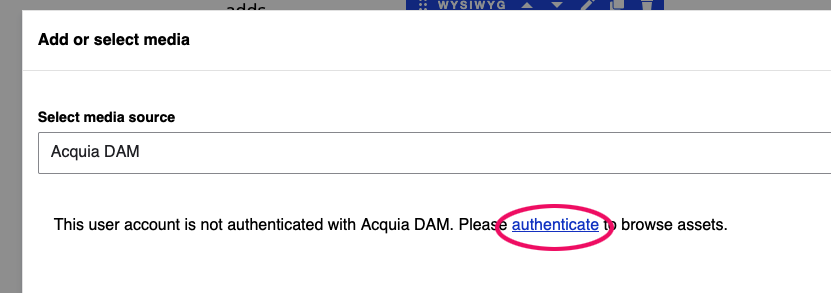
Because you will be logged into Drupal via Emory SSO, you will need to authenticate the DAM the first time you use it with the instructions above.
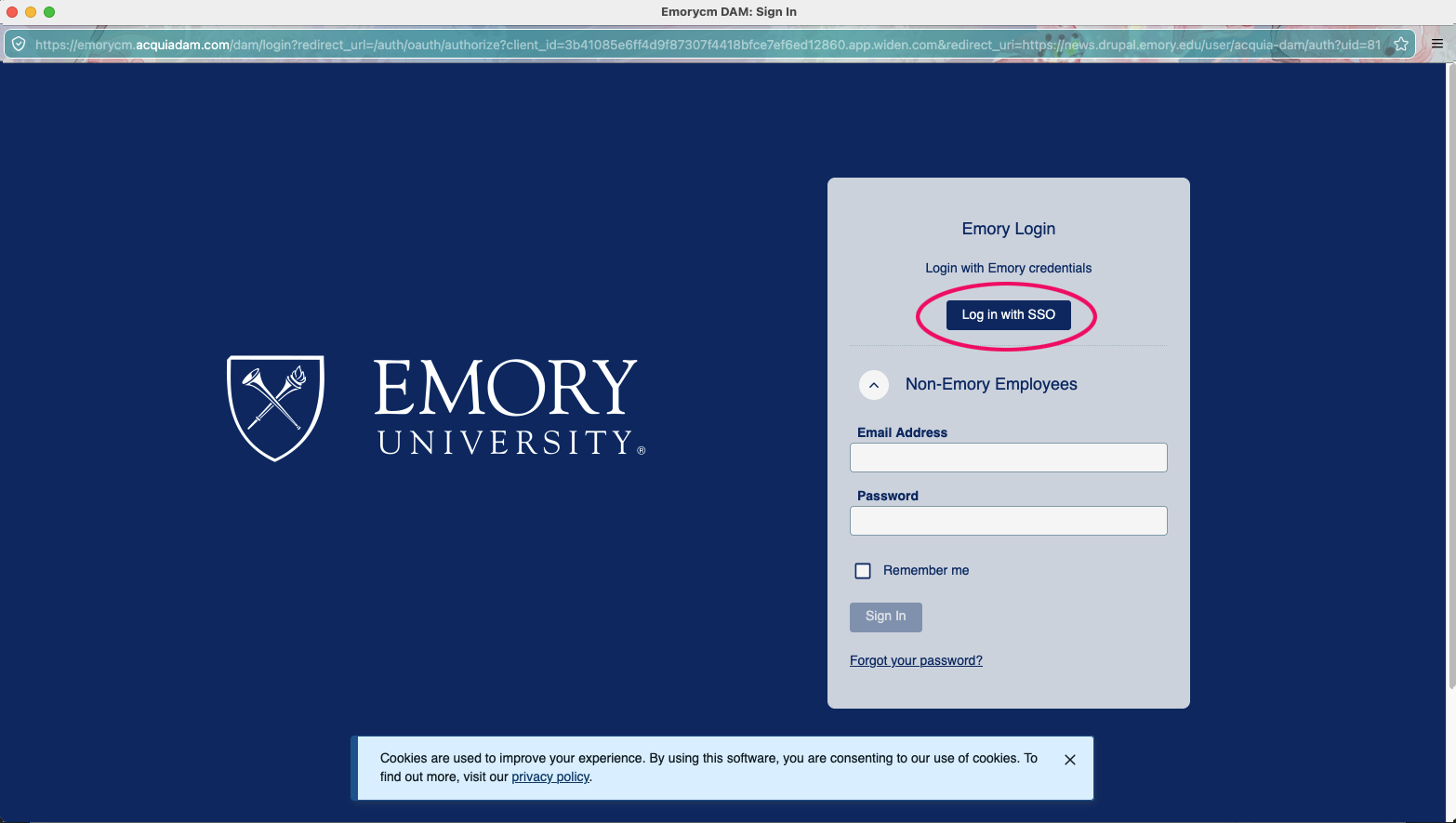
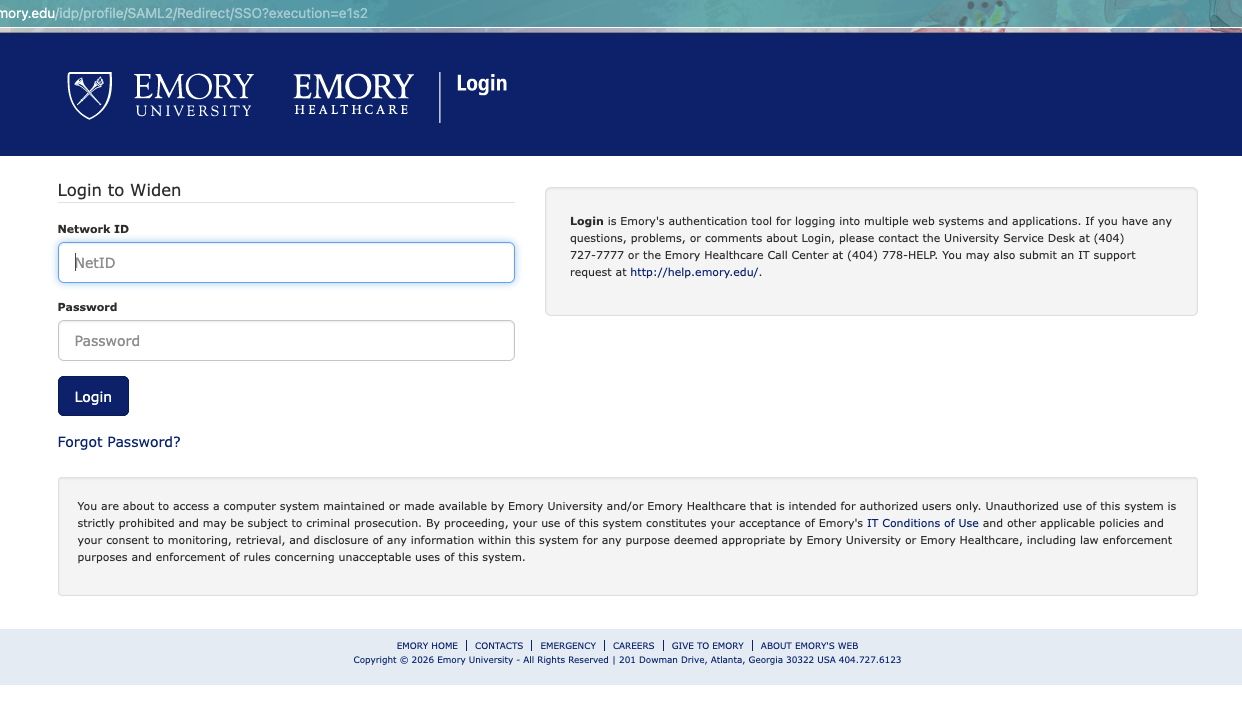
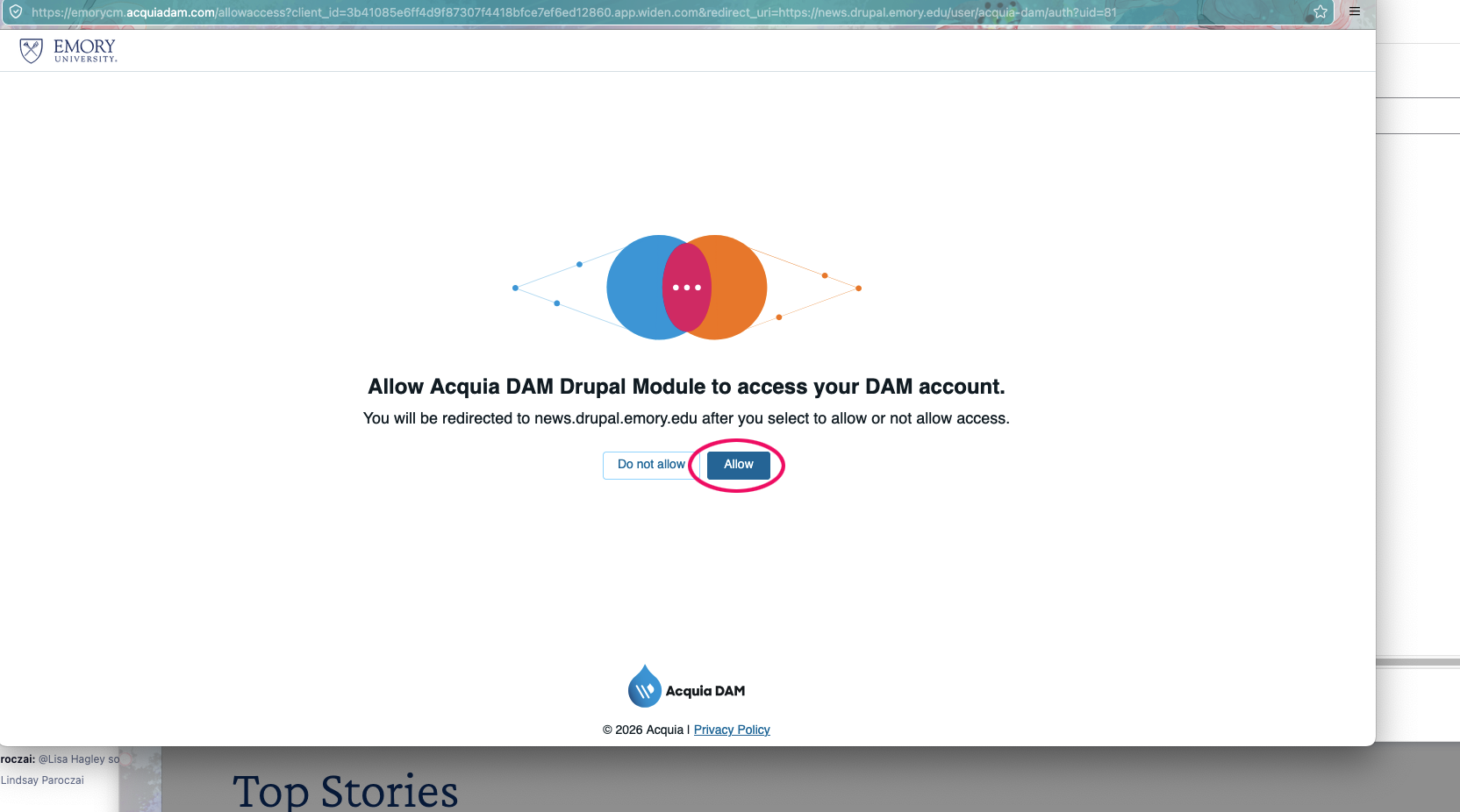
Once authenticated, you will be able to search the Emory DAM from Drupal for images.
Recommended Best Practices in Drupal
For the best experience using the Emory DAM through Drupal, please follow these best practices.
- Do not change the image file name. The file name indicates the photographer, event, roll, and other EPV information that needs to be available and allows access to others within Drupal.
- Do not upload images to Drupal directly, as it is not the same as uploading to the DAM. Ideally, all images will be published directly to Drupal from the Emory DAM. Should you be unable to find the image you are looking for, or you have an image shot by your department or school, please contact EPV for a review of a possible DAM upload of your photography. There will be some instances where an image is not shared in the DAM if it cannot be made available to all DAM users. Please plan accordingly.
- Double check the alternative text (alt text) associated with the image. Alt text is an accessibility requirement, and it is the responsibility of the end user to make sure your alt text appropriately reflects your content. To update alt text in Drupal, go to Content Library, then Media, and add or edit. EPV is working to provide as much information in the description field as possible. As we go through this transition, description and alt text fields will continue to improve.
Photo Use and Credits
Editorial and Internal Use
Most photos are available for internal use by Emory employees. Please credit the photographer for all images used both internally and externally.
Use this style in photo credits: Photographer First and Last Name/Emory Photo Video
Example: Sarah Woods/Emory Photo Video
External Use and Licensing
Sharing photos outside of Emory carries a responsibility to make sure the photo is properly licensed. Contact EPV to review licensing requirements and documentation before sharing photography with any outside entity.
Advertising or Commercial Use
Please confirm with EPV that the photo you choose is properly released and available for advertising or commercial use. Requests are fulfilled on a first-come, first-served basis.